Radio Mobile Handbooks
I can be contacted at E-mail address:-

Radio Mobile HandbooksI can be contacted at E-mail address:-
|
|
|
Para el Handbook Edicións en Español - Haga clic aquí.
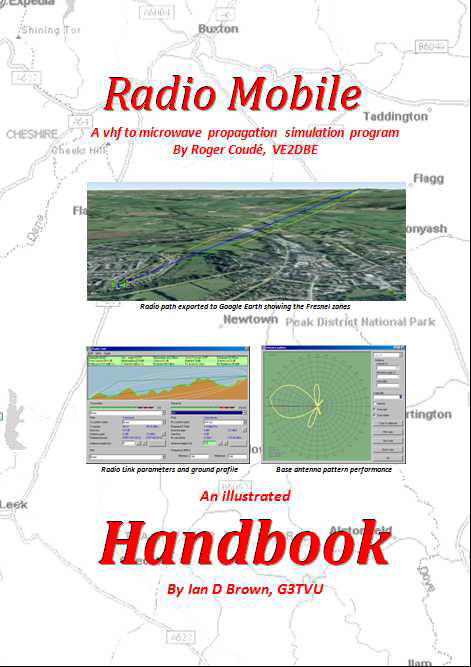
Radio Mobile Handbook
An
Illustrated Handbook
By Ian D. Brown, G3TVU This is a descriptive guide for the use of the propagation simulation program
Written by Roger Coudé, VE2DBE
Once
you have designed your own ‘VHF to Microwave’ Antenna system, the Radio Mobile
software allows you to simulate its radio coverage performance over a
Real
landscape when attached to Real equipment —
and you can also
incorporate Land Coverage losses into the plots if required.
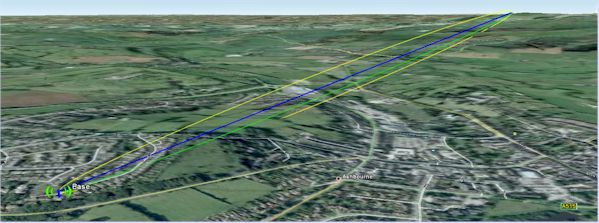
Radio path exported to Google Earth showing the Fresnel zones
Yet another great
feature which is useful for Radio Repeater planning is the Route Radio Coverage
function which allows the communication by a fixed station to or from a mobile
to be evaluated as the mobile drives along a road system.
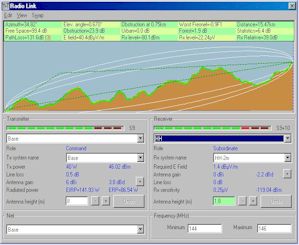
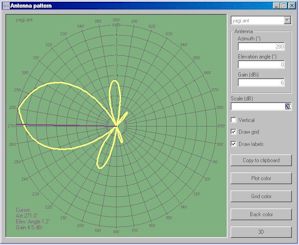
Radio Link pane Antenna Pattern Viewer
This 352-page, 19 chapter, Illustrated Handbook has been compiled and updated from the massive archive of articles in antenneX including details of the installer program that shows how to install and make use of the bonus Radio Mobile Installer. The installer for the program is included in the download and CD-ROM. The PDF format is fully searchable for any required keywords or topics.
Handbook $27.95 for zip download - request from HB-Sales@g3tvu.co.uk
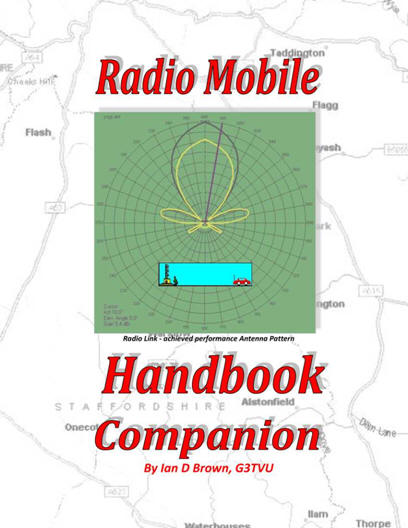
Radio Mobile Handbook Companion
Radio propagation is an extremely complex subject by its very nature and thus propagation simulation software such as Radio Mobile can often be very intimidating on first use.
With any new software it always becomes easier to use when you become more familiar with its operation. The Radio Mobile Handbook Companion has been written to act as a complimentary tutorial taking users through each Handbook chapter in turn. This allows users to experiment with the program and produce their own versions of the chapter illustrations and thus gain experience of the use of the functions and features described in the Radio Mobile Handbook.
The Handbook Companion is supplied complete with a set of ‘Demonstration Networks’ in a folder which can be copied directly into the users Radio Mobile 'Networks' folder.
By accessing any of these chapter numbered networks (which contain the correct number of deployed units and Radio Operating System settings), each chapter illustrations can be reproduced by following the descriptive text. In addition any relevant updated program features relating to a particular chapter have been included in the chapter descriptions.
Finally, an additional appendix covering ‘Radio Propagation and Coverage basics’ has been included for reference in this 184 page fully searchable PDF document.
HB Companion $22.95 for zip download - request from HB-Sales@g3tvu.co.uk
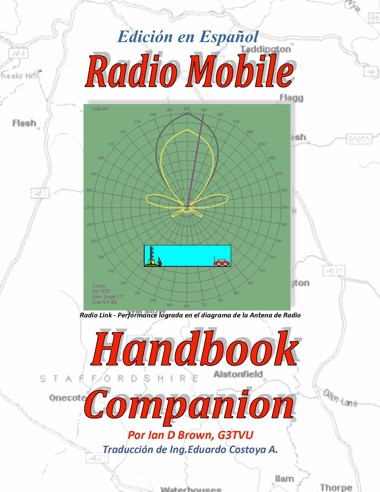
Radio Mobile Handbook Edición en Español
Una vez que se ha diseñado el ‘Sistema de Antenas de VHF a Microondas’, el software del Radio Mobile permite simular su performance de cobertura de Radio sobre un terreno Real y con unequipo Real – e inclusive puede, si así lo requiere, también incorporar en los trazados las atenuaciones producidas por la cobertura del Terreno.
Este Handbook es una referencia ‘indispensable’ para el que desee explorar en forma rápida las prestaciones del Radiomobile y todas sus facetas, para producir el tipo de cobertura de señales de radio que se requieran. Este Handbook hace el proceso de aprendizaje paso a pasofácil e intuitivo, con guías ilustradas.
Las cartas gratuitas de elevaciones del terreno como los mapas camineros del área a cubrir requeridos, se pueden descargar directamente de Internet mediante el programa, como así mismo ubicar en el mapa las unidades de radio especificadas para cumplir con la performance.
En adición a los trazados normales de cobertura de radio, el programa puede analizar enlaces punto a punto, exportar las imágenes, mapas y los trayectos de radio con sus zonas de Fresnel a Google Earth, para su visualización. Mediante el ’3D Antenna pattern generator’, disponible desde el sitio RM Downloads Se puede también generar los propios diagramas de radiación 3D de las antenas y su data para su utilización, además de los diagramas de radiación genéricos incluidos en el programa.
Enlace de radio exportado a Google Earth mostrando las zonas de Fresnel
Aún más, una buenísima prestación muy útil para la planificación de Repetidores de Radio es la función Route Radio Coverage que permite evaluar la comunicación, desde y hacia una estación fija, cuando las unidades móviles se desplazan por rutas determinadas. Donde existe un cierto número de estaciones fijas en un área, se pueden generar trazados mostrando el servidor dominante que proporciona un margen predefinido de Señal –a-Interferencia a un móvil y una lectura de la intensidad de señal en cualquier punto donde se ubique el cursor.
Parámetros del enlace de Radio Diagrama polar de antena base
Este Handbook ilustrado, de 357 páginas, 19 capitulos, está en formato PDF con facilidades de búsqueda para cualquier tópico o palabra clave.
HB Español $27.95 zip - para HB-Sales@g3tvu.co.uk
Radio móvil manual acompañante
Propagación de radio es un tema extremadamente complejo por su propia naturaleza y por lo tanto software de simulación de propagación como Radio móvil a menudo puede ser muy intimidante de primer uso. Con cualquier nuevo software siempre resulta más fácil utilizar una vez más familiarizado con su funcionamiento. El compañero de Radio móvil manual ha sido escrito para actuar como un tutorial gratuito teniendo a su vez los usuarios a través de cada capítulo del manual. Esto permite a los usuarios experimentar con el programa y producir sus propias versiones de las ilustraciones del capítulo y así ganar experiencia de las funciones y características como se describe en el manual de Radio móvil.
El
compañero
manual
se
suministra
con
un
conjunto
de
'Redes
de
demostración'
en
una
carpeta
que
puede
copiarse
directamente
en
la
carpeta
de
redes
de
Radio
móviles
usuarios.
Al
acceder
a
cualquiera
de
estos
capítulo
numeradas
las
redes
(que
contienen
el
número
correcto
de
las
unidades
desplegadas
y
configuración
de
sistema
operativo
Radio),
puede
reproducirse
cada
ilustración
capítulo
siguiendo
el
texto
descriptivo.
Además,
cualquier
característica
relevante
programa
actualizado
relativos
a
un
capítulo
particular
ha
sido
incluida
en
la
descripción
del
capítulo. Finalmente, un apéndice adicional cubriendo 'radiopropagación y cobertura básico' ha sido incluido como referencia en este documento PDF totalmente explorable de 215 páginas.
Manual acompañante $22.95 zip - para HB-Sales@g3tvu.co.uk
To download the 352 page Radio Mobile Handbook of reference and 'How to' data in 19 chapters, Nueva edición en Español,
or the 184 page Handbook Companion providing a working Tutorial with supplied Networks and Updates
Request from HB-sales@g3tvu.co.uk
This page is available in .pdf format here
© Copyright G3TVU 3rd April 2019
|